Self-service onboarding
A six-step wizard — property identity, room types, gallery, rate seasons, policies, and banking — with a live preview of your listing as you fill it in. No back-and-forth with a setup team to go live.
Built on Trust. Driven by Excellence.

Home/Hotel Partner Portal
What you get when you contract with TESSMA
Every contracted hotel gets its own login to the TESSMA Hotel Partner Portal — a dedicated extranet for onboarding your property yourself and running your own availability, rates and inventory, on your own schedule. Below is every screen, exactly as it runs today, followed by a full walkthrough of how to use it.
The pitch, briefly
This is the same portal captured in the screenshots below — not a mockup. It is issued the moment TESSMA approves your partnership inquiry, and from that point your team runs the property.
A six-step wizard — property identity, room types, gallery, rate seasons, policies, and banking — with a live preview of your listing as you fill it in. No back-and-forth with a setup team to go live.
Availability, rates and inventory, by room type and by date, across every meal plan you offer — Room Only through All Inclusive — edited directly by your team, with bulk edit and partner-wide sync built in.
Launch a flash sale for specific dates whenever you choose. The system always shows the lower of your contract rate or your promotional rate — your base rate never has to move.
Arrivals, departures, pending confirmations and full reservation history, searchable and filterable, with a single timeline per booking covering invoices, settlement and guest messages.
Revenue, commission and the amount payable to your property, broken down per booking, with invoices, virtual cards and monthly statements in the same place you manage rates.
Access is granted by TESSMA once your inquiry is reviewed and approved — the same pipeline as the contact form on this site — so every login on the portal maps back to a real, vetted contract.
Property Completeness
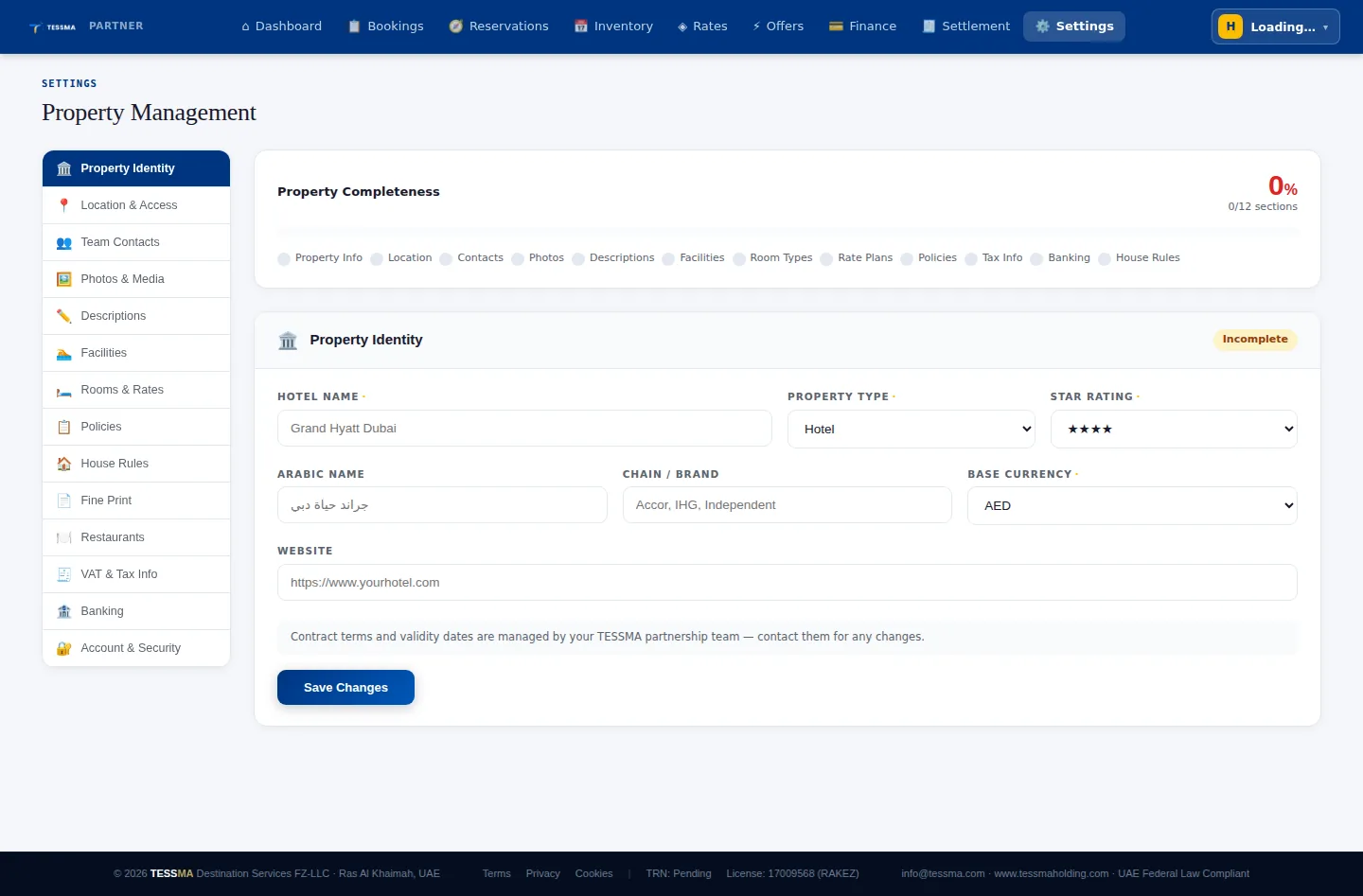
Every property gets a completeness score the moment onboarding starts, with a direct link back to whichever section is still incomplete. It is the same score that shows up on your dashboard every morning until your listing is fully built out.
A to Z
Every screenshot below was captured directly from the running Hotel Partner Portal, signed in on a demo property — not illustrated, not staged. What you see is what your team will see on day one.
No separate systems to log into, no extra credentials to manage. Access to the Hotel Partner Portal is issued automatically once TESSMA approves your onboarding inquiry, and from here your team manages everything about the property.
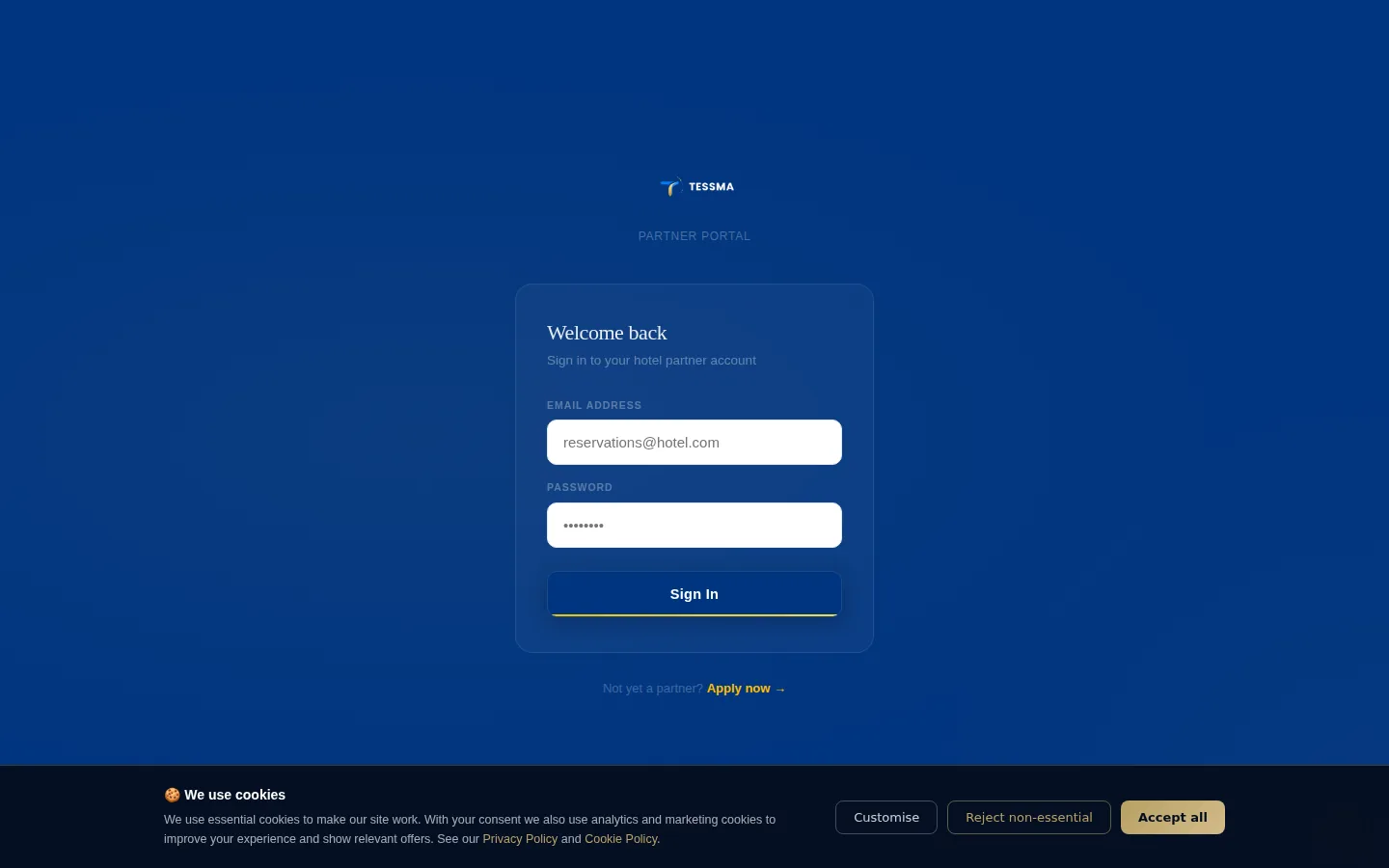
A six-step, self-service wizard — Property Identity, Room Types, Property Gallery, Rate Seasons, Policies, and Banking & Settlement — with a live preview of the listing building on the left as you type. The first step alone covers property name, Arabic name, base currency, property category, star rating, full location and check-in and check-out operations.
Nothing about getting a property live depends on emailing anyone a spreadsheet.
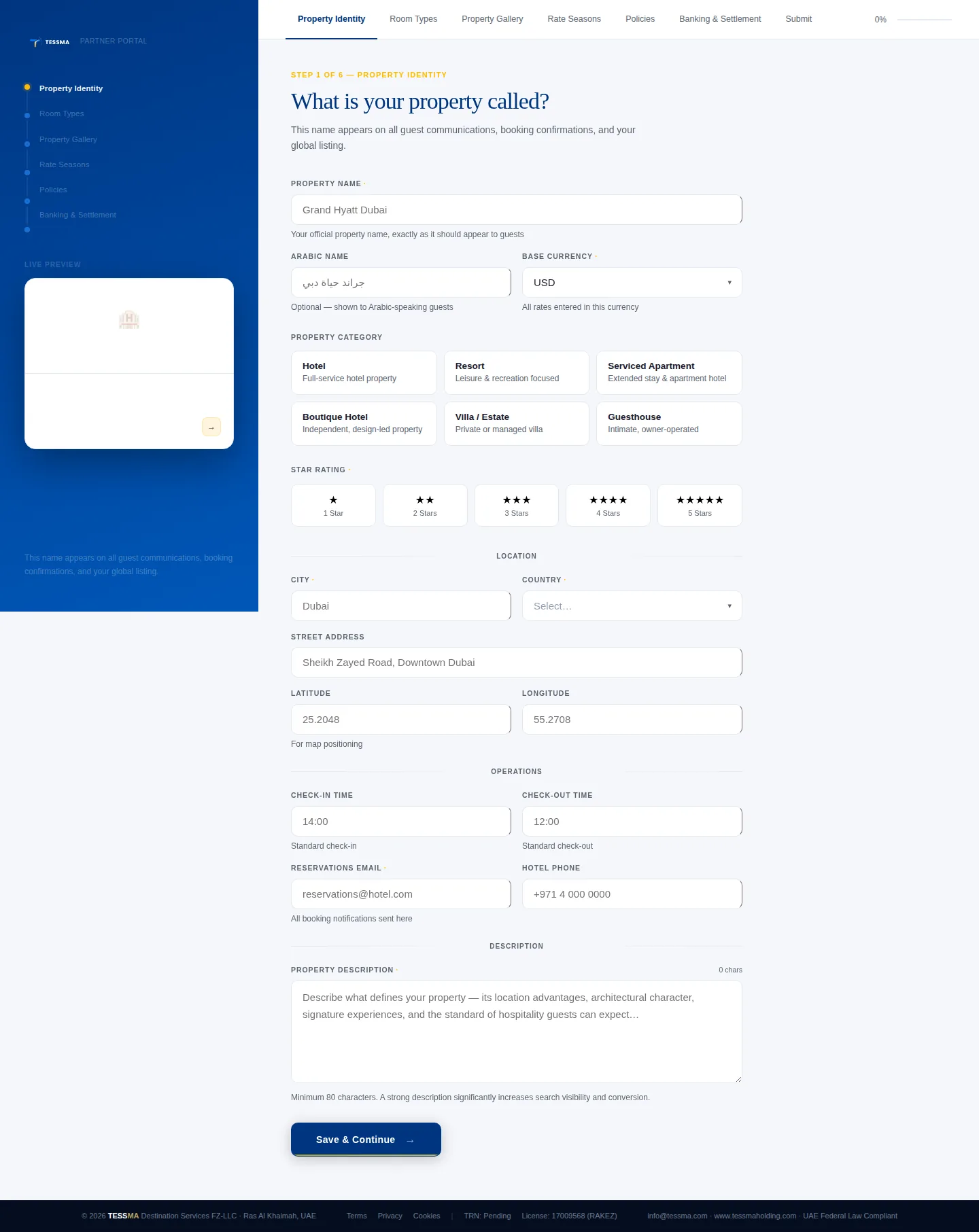
Today's arrivals, departures, new bookings and pending confirmations; revenue today, this month and total; a live upcoming-arrivals list; the property completeness score; a seven-day demand outlook; ADR, RevPAR, pickup and cancellation rate; a sixty-day occupancy calendar; room-type performance; and length-of-stay distribution — on one screen.
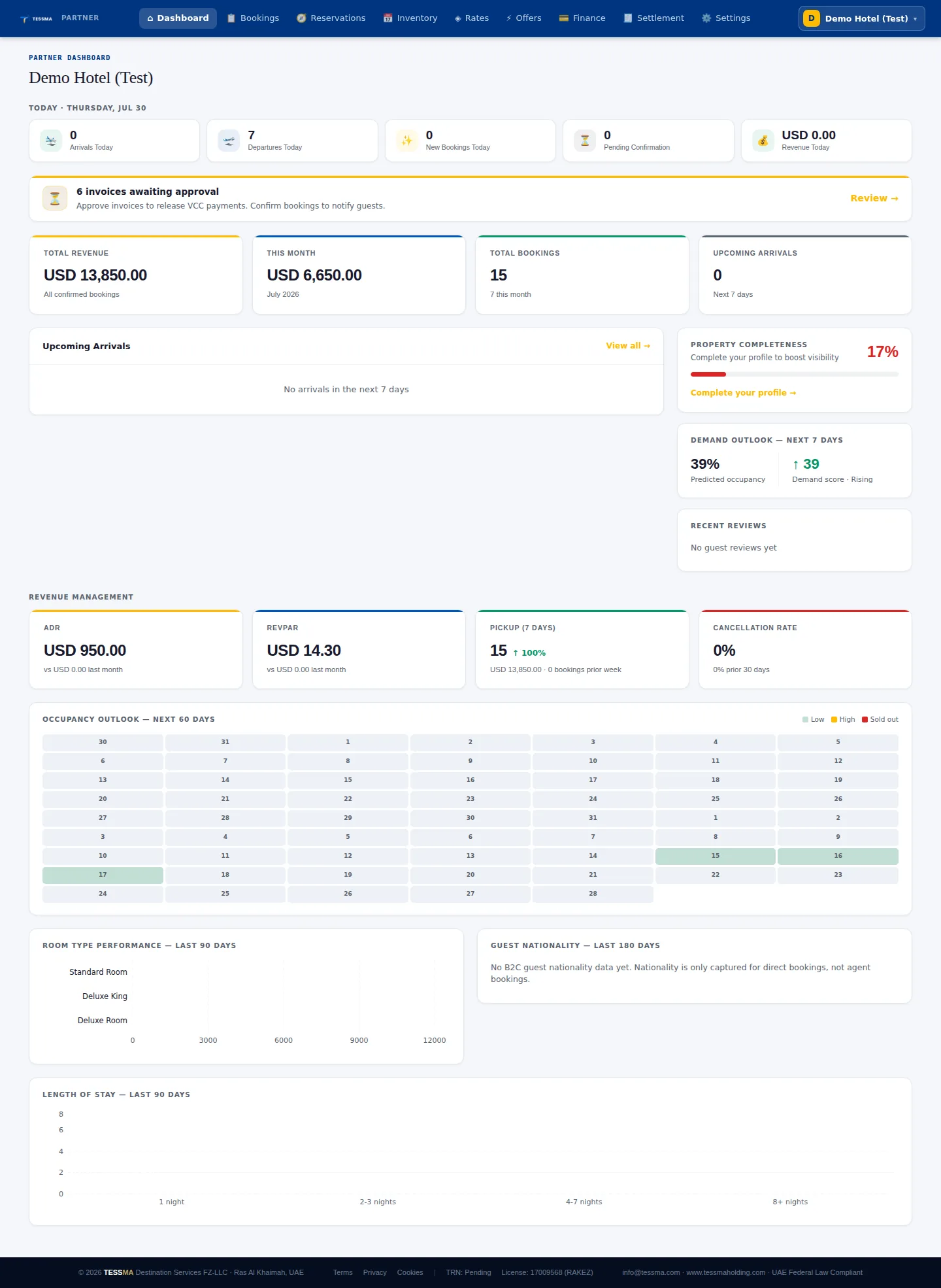
Search by guest, reference or email. Filter by status — pending, confirmed, checked in, checked out, cancelled — or by check-in date range. Each row shows dates, amount, guest count and invoice approval state, with CSV export and pagination once the list grows.
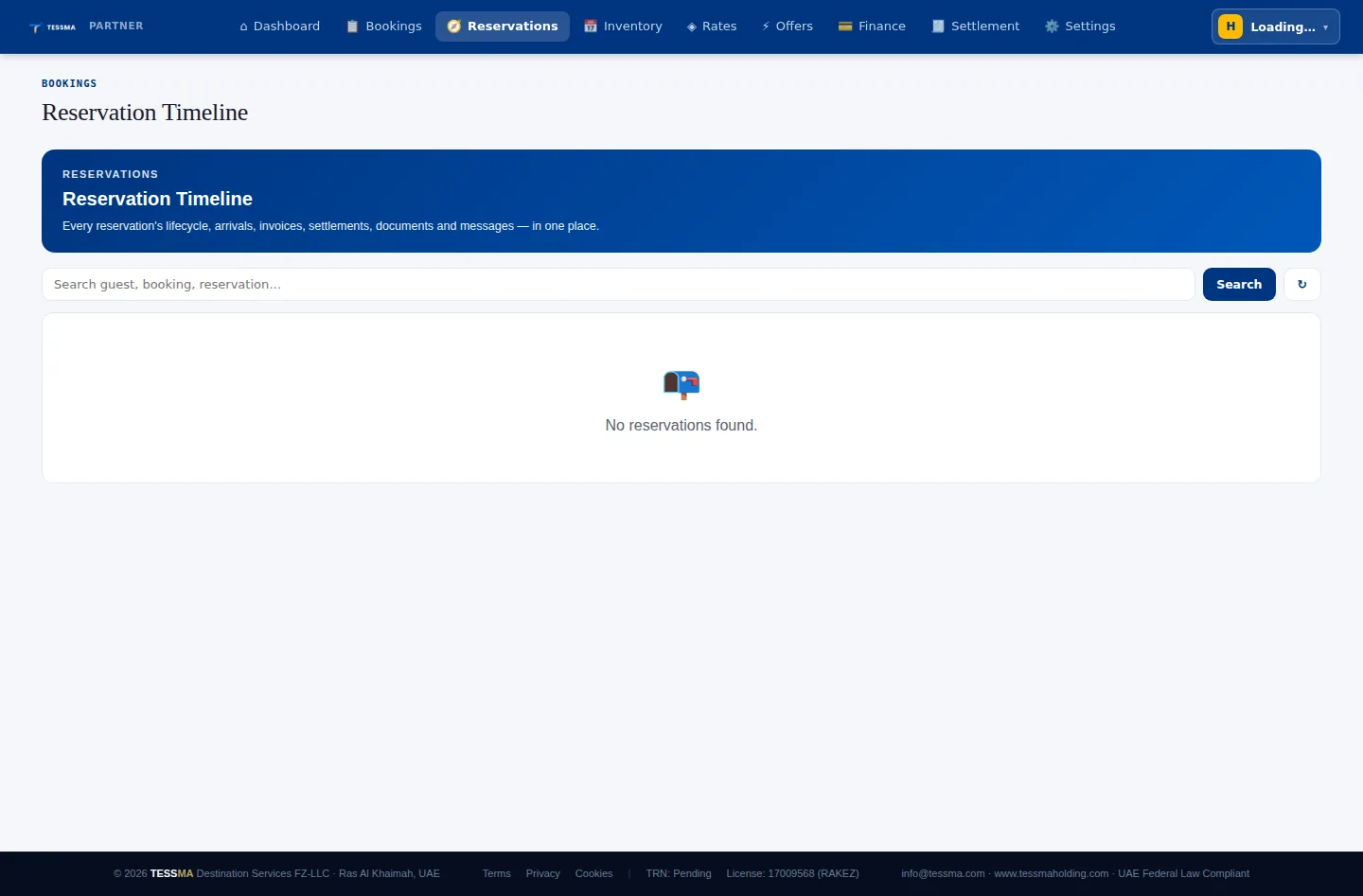
Every reservation's lifecycle — arrivals, invoices, settlement status, documents and guest messages — collapsed into a single timeline, searchable by guest, booking reference or reservation number.
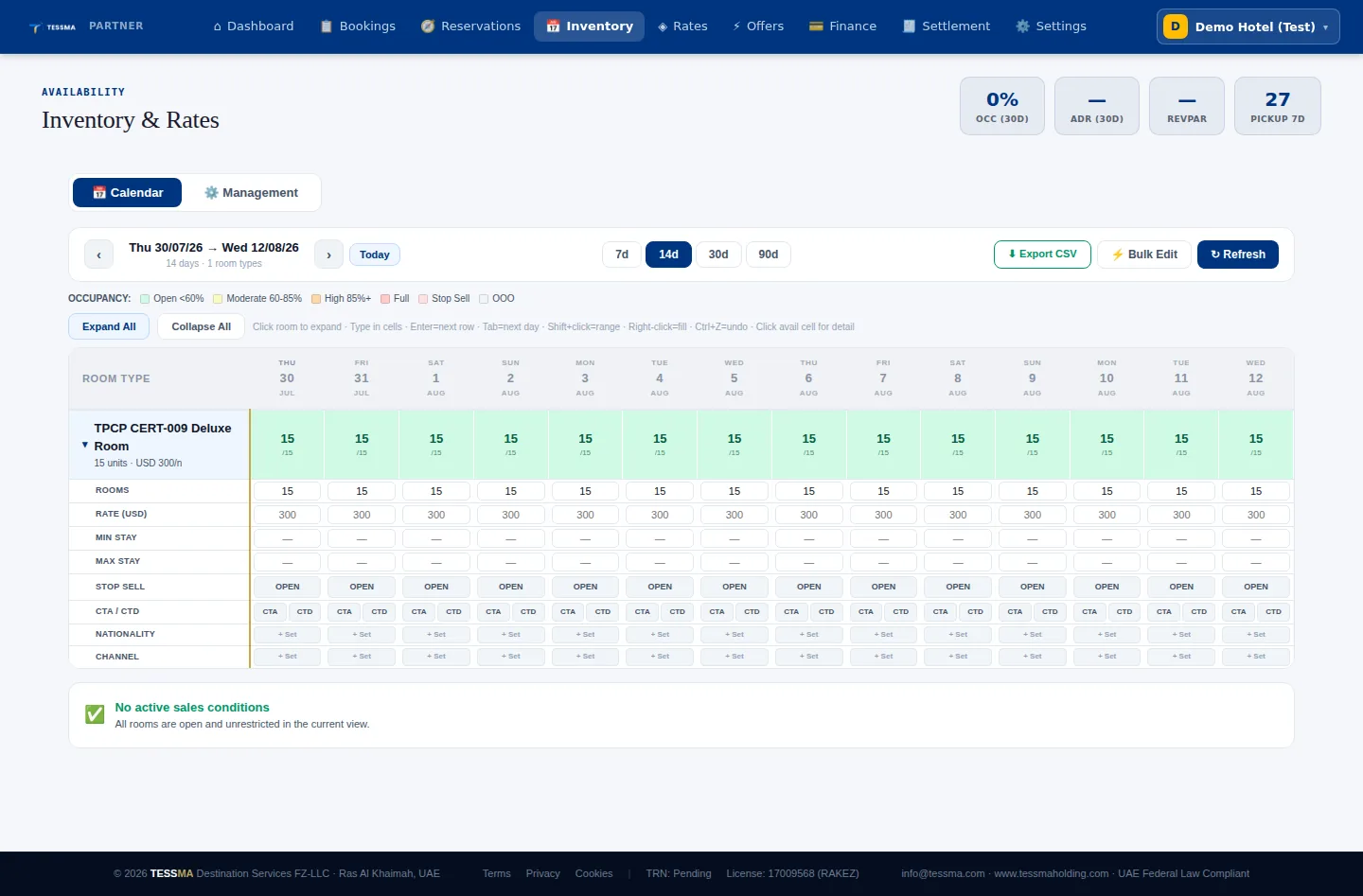
A day-by-day grid per room type: open units, stop-sell, minimum and maximum stay, close-to-arrival and close-to-departure, and per-nationality or per-partner restrictions. Bulk edit and CSV export are built in, and changes publish straight to every contracted commercial partner.
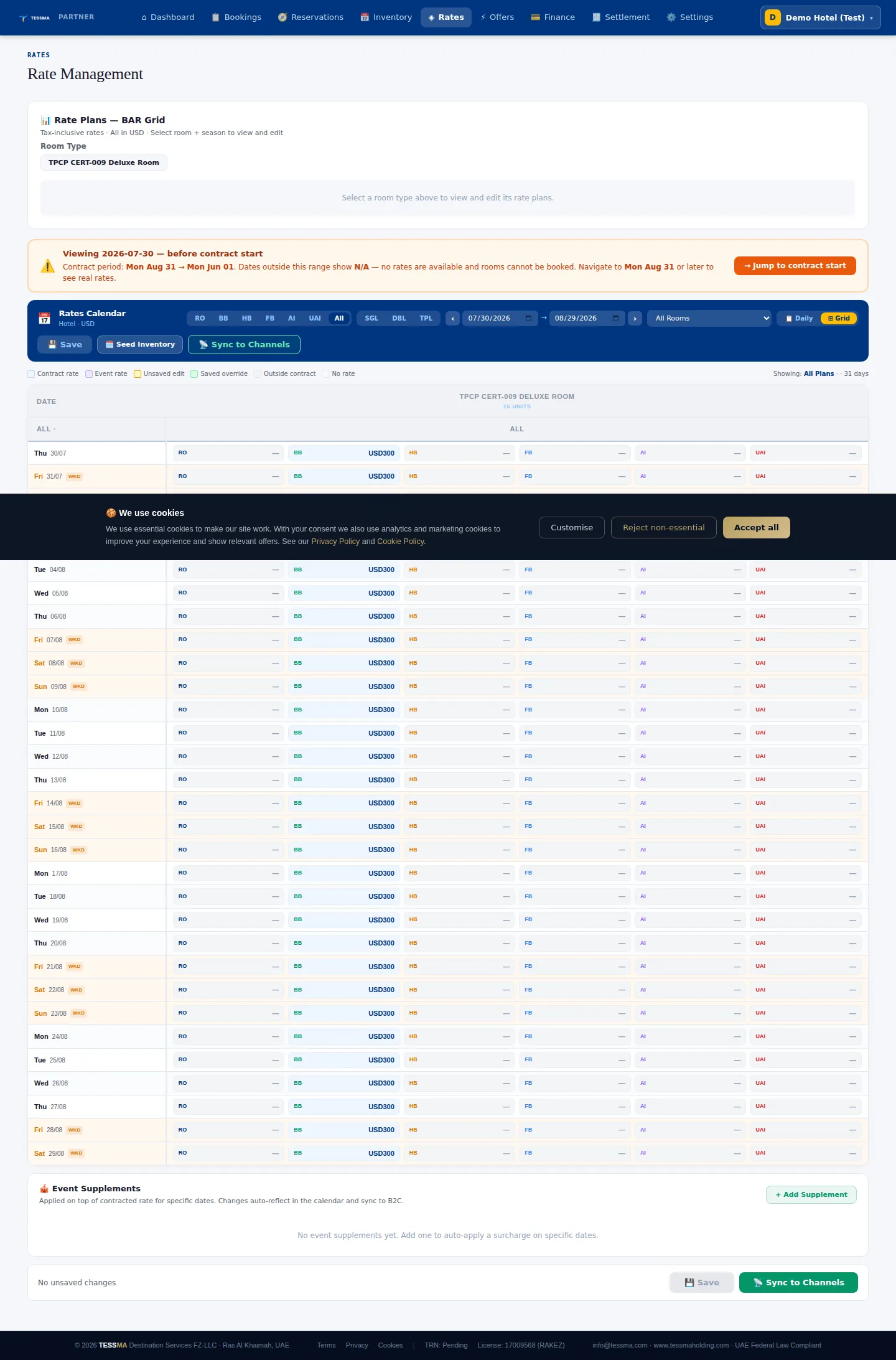
This is the availability-rates-inventory control your contract gives you directly: a calendar grid across every meal plan you sell — Room Only, Bed & Breakfast, Half Board, Full Board, All Inclusive and more — by room type, by date, with event supplements for surge dates and a direct publish-to-partners action. A contract-period guard stops anyone from opening dates outside the signed agreement by mistake.
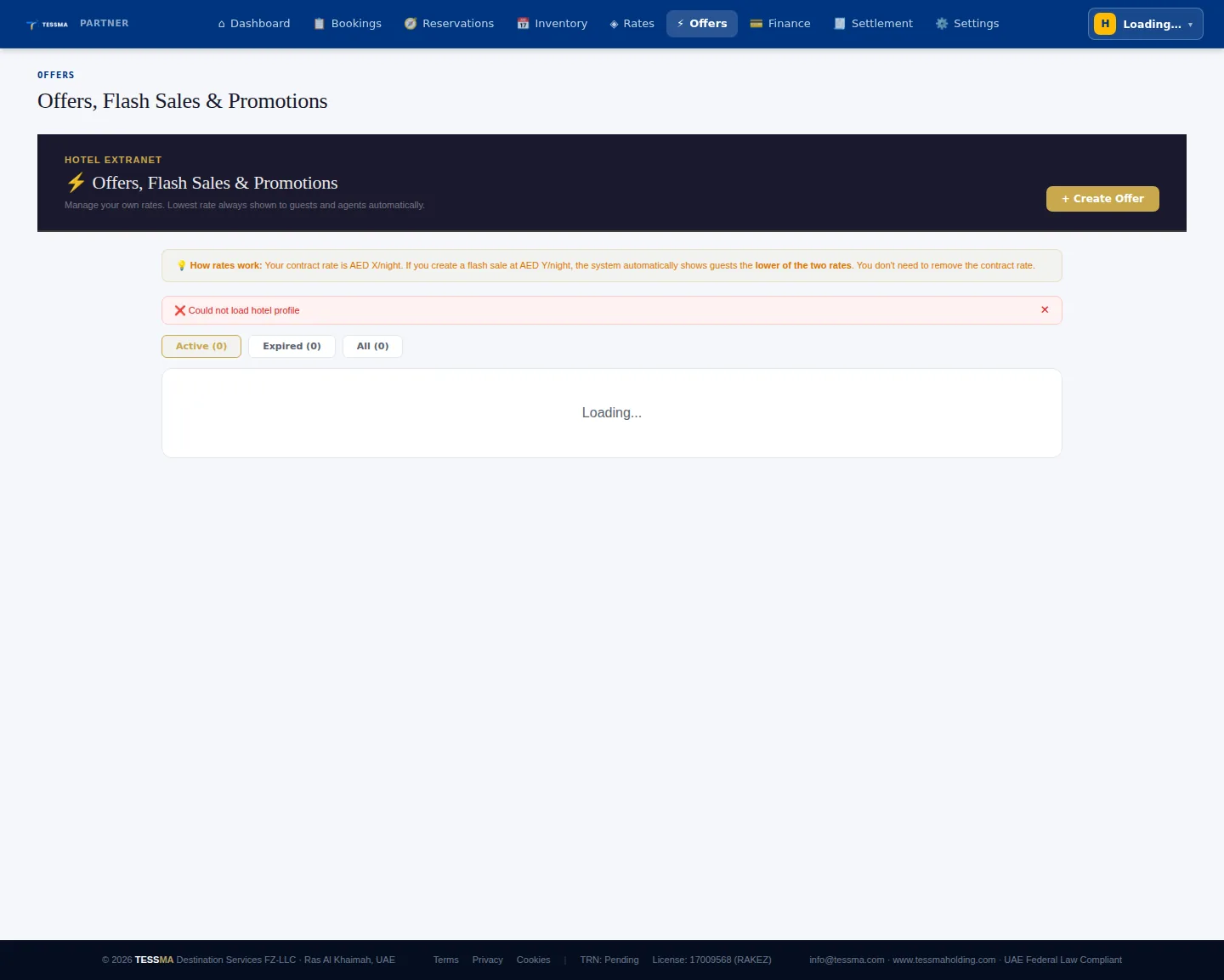
Create a flash sale for specific dates whenever you choose. The system automatically shows guests and agents the lower of your contract rate or your flash-sale rate — you never need to remove or edit the base rate to run a promotion.
Total revenue, net payable to your property, this month's gross, and any invoices pending your approval — split across booking revenue, upcoming arrivals, invoices and documents, virtual cards, and a monthly statement, all in the same workspace where rates are managed.
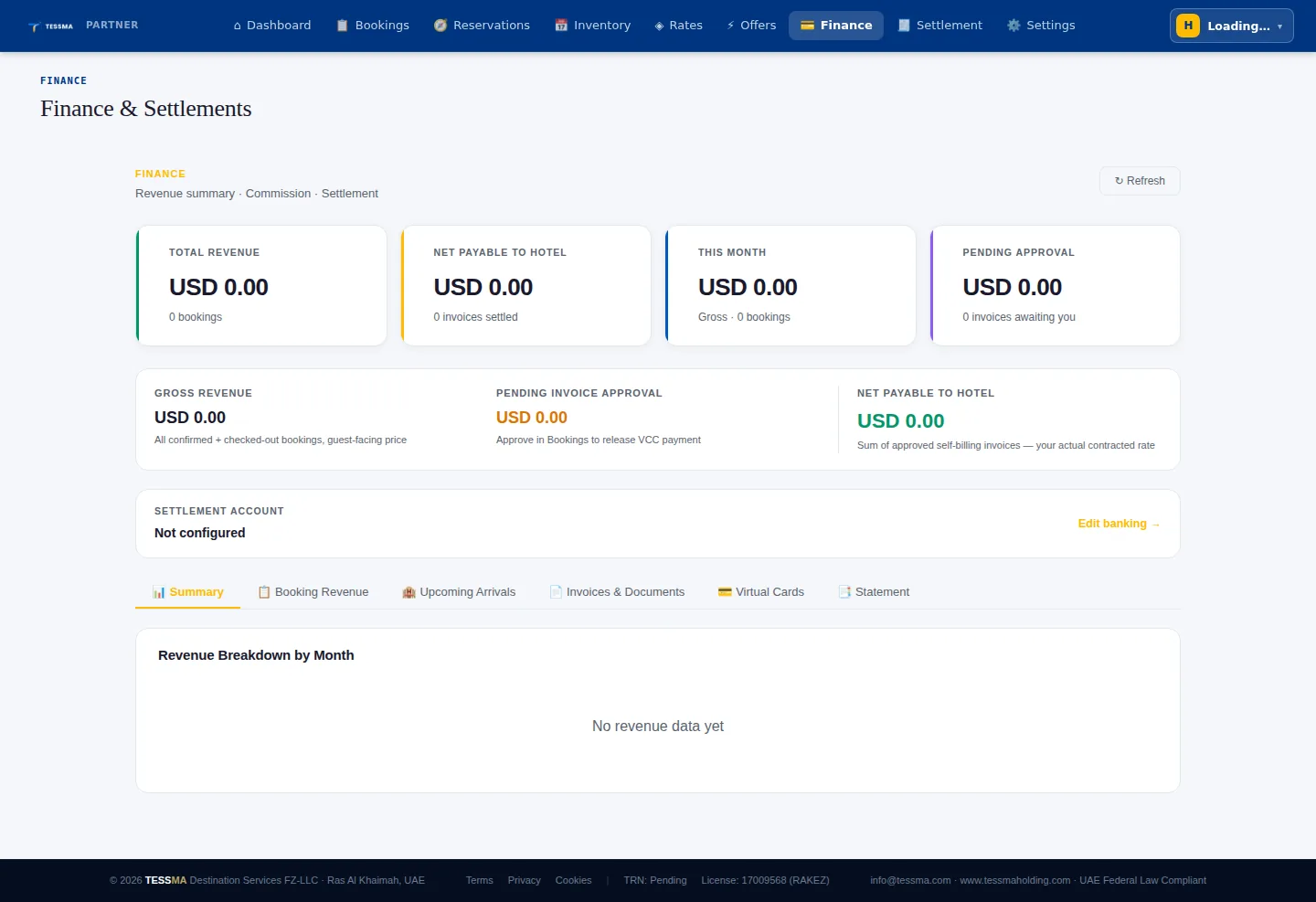
Each booking moves through invoice validation, recorded VAT, an accounts-payable entry and management approval before a payout is authorised — tracked through named stages from To Confirm through To Invoice, In Finance, Ready, In Approval, VCC Issued and Paid.
A live, populated settlement list for this demo property — to confirm — the module's list didn't finish loading during this capture session, so the screenshot below shows the workspace header rather than a settled payout. We are glad to walk through a live one during onboarding.

Property Identity, Location & Access, Team Contacts, Photos & Media, Descriptions, Facilities, Rooms & Rates, Policies, House Rules, Fine Print, Restaurants, VAT & Tax Info, Banking, and Account & Security — each its own section, each counted toward the same completeness score shown on the dashboard.

Ready when your contract is
Submit a Hotel Partner inquiry, and once it is approved you receive your own Hotel Partner Portal login — the exact system captured above, not a trial or a limited demo.